
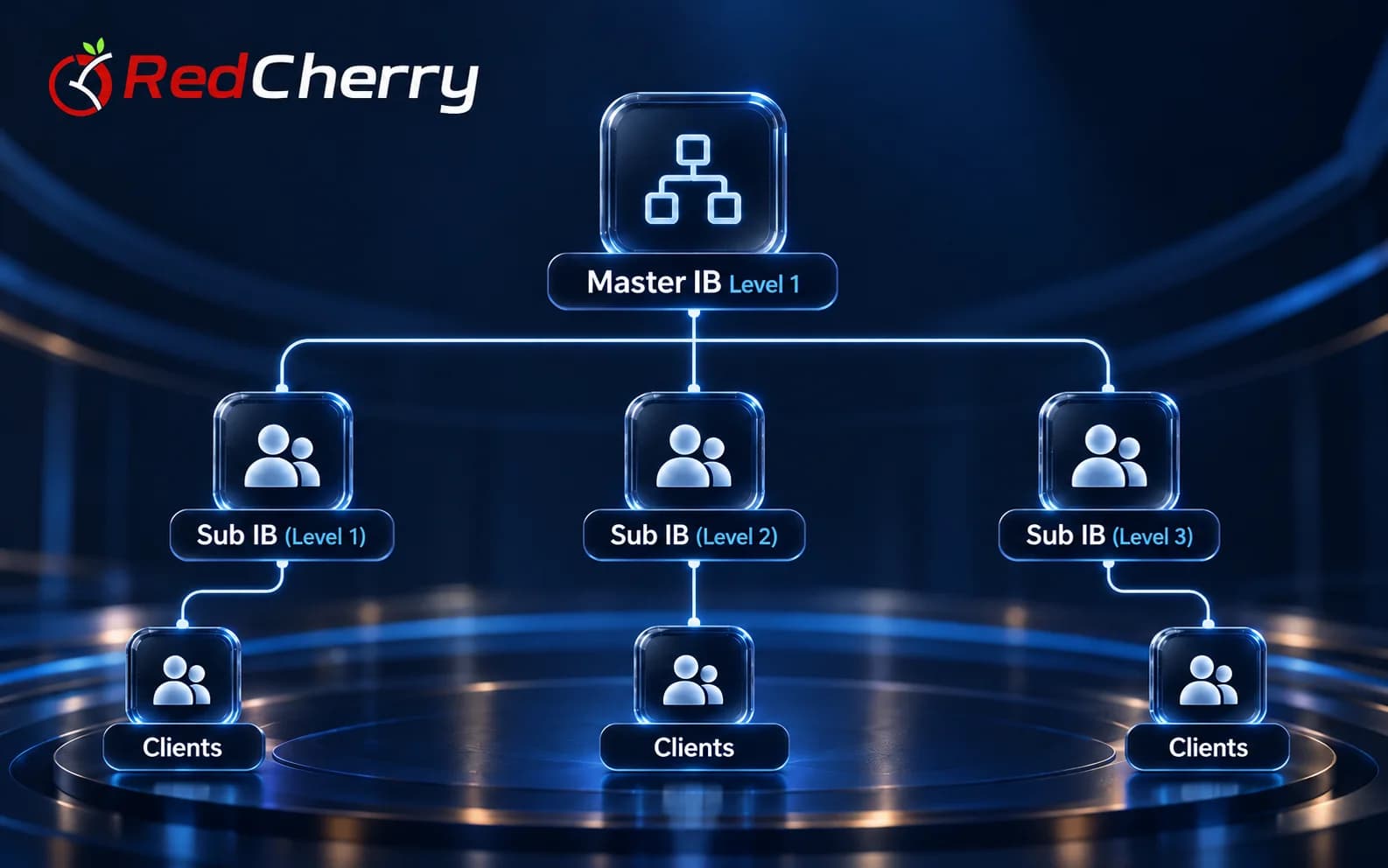
Multi-level hierarchy
Master IBs recruit sub-IBs, who can grow the network further, with no level limit.
RedCherry
Broker & Prop Firm CRM
Introducing brokers
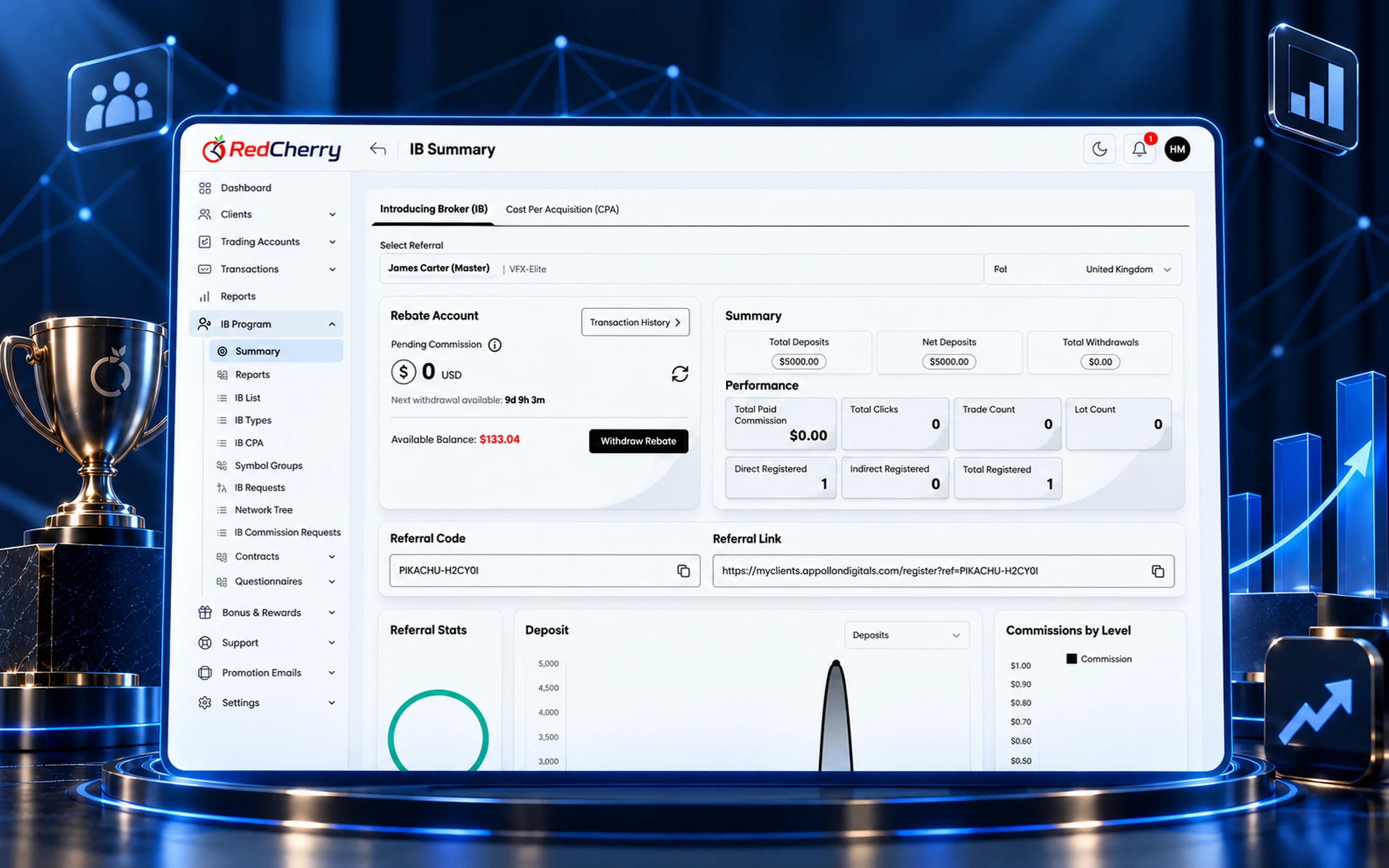
Master IBs and sub-IBs get their own branded dashboard, referral links, commission reports and statements, while you set the levels and the rules.
Partners see their clients, earnings and network in real time, so your team answers fewer questions and pays out on time.
Master IBs recruit sub-IBs, who can grow the network further, with no level limit.
Commissions calculated from volume or lots, with tiered bonuses.
Unique links with full conversion and activity insight.
Commission reporting and payouts managed from the CRM.
Partners judge a brokerage by how quickly they can answer one question: how much have I earned, and from whom. RedCherry's IB portal answers it on the first screen, with commission this month, referred clients and sub-IBs, and a live network tree underneath. Everything is branded as the brokerage, on your domain.
From the portal an IB shares referral links and campaign banners, follows clicks and registrations, sees each referred client's sign-up, KYC and funding status, and downloads monthly statements. Sub-IBs see their own slice of the network; Master IBs see the whole tree below them.
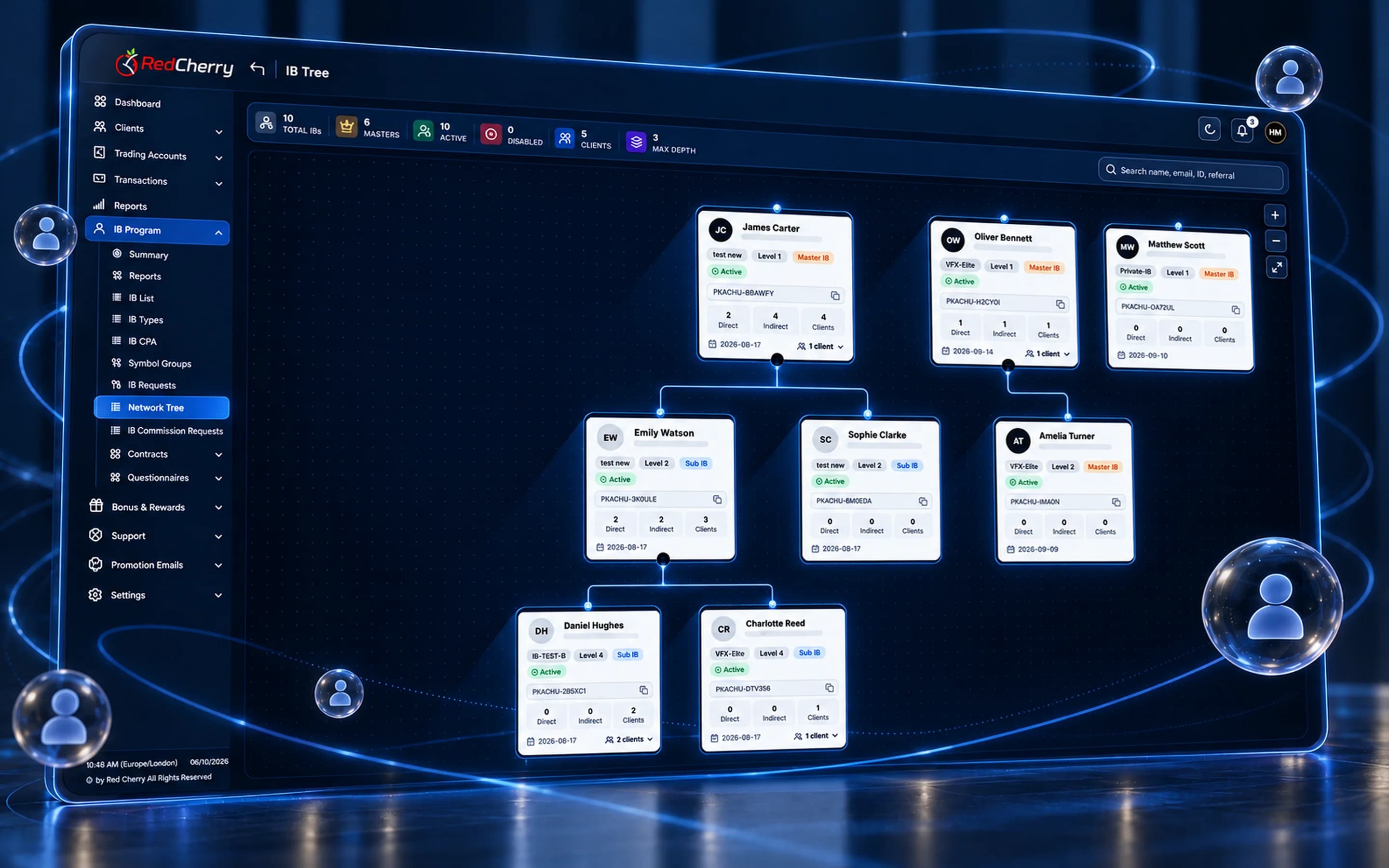
Partners apply through the portal itself: a short application, the agreement to accept and the IB type they want. The application arrives in the back office with an instant notification, the partner manager approves it, and the new IB gets referral links, banners and a dashboard straight away, with the commission rules of their level already applied.
A partner can hold several IB accounts, each with its own application status, agreement and reports, which suits a partner who runs more than one website or desk. Agreements are stored on the partner's record, so the terms a partner accepted are one click away whenever a statement is questioned.
The portal shows each partner exactly their slice of the network. A Master IB sees every sub-IB below them, the clients each one brought and the commission flowing up from each level, with the network drawn as a tree they can search by name, ID or referral code. A sub-IB sees their own clients and earnings and the partners they recruited, but not the rest of the Master's network. Both get the same referral tools, statements and exports; the brokerage decides what each IB type can see and whether sub-IBs can recruit further.
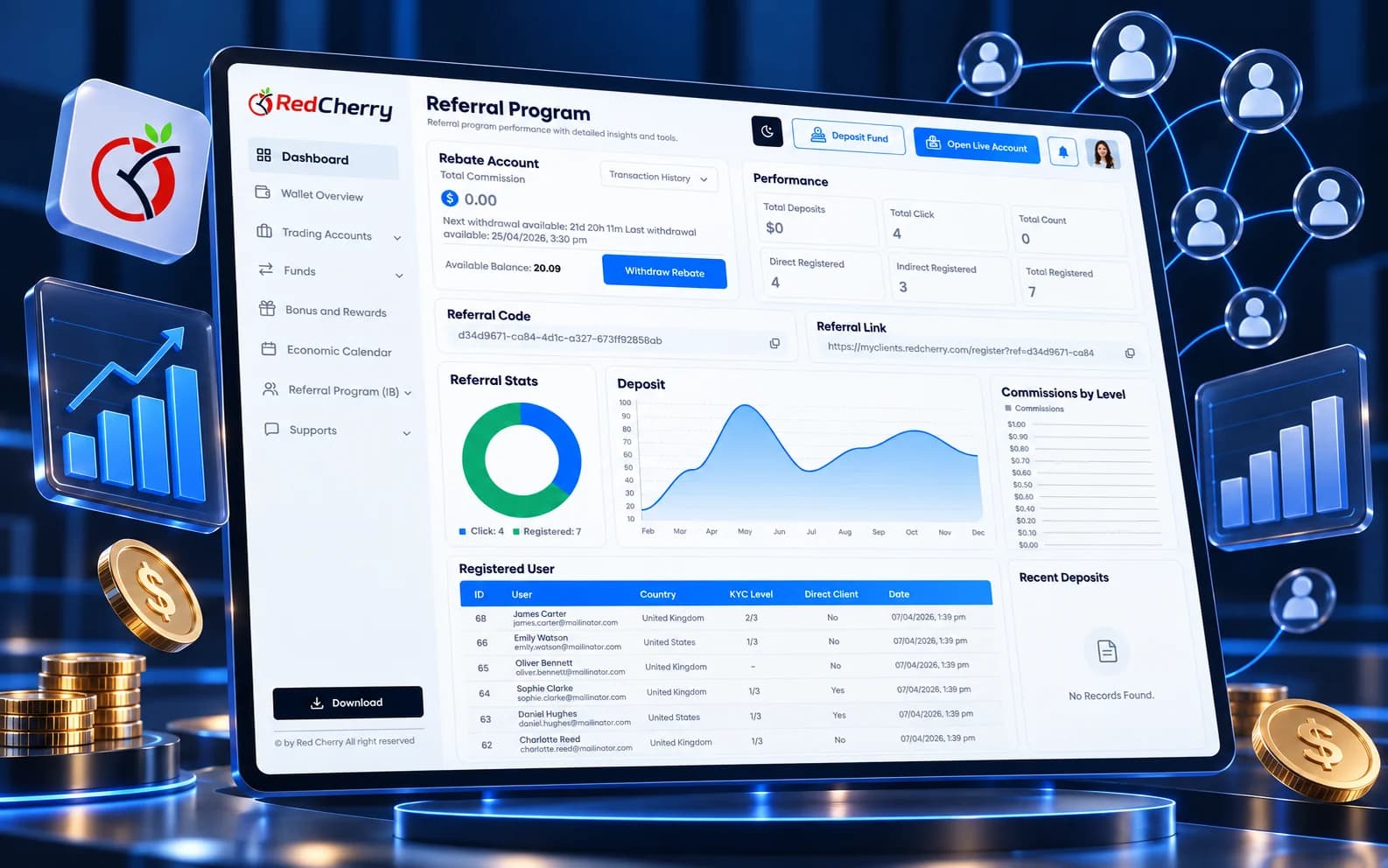
Commission by period and level, referred clients with their status, the network tree, referral links and banners, and downloadable statements.
Yes. Partners apply through the portal and the brokerage approves them from the back office.
Yes. It carries your brand and domain, like the client portal.
Commission is calculated on each closed lot as trading data syncs from the platform, so partners see it build during the day.
Yes. Bonus and loyalty programs you run for traders are available to partners when recruiting clients.
Multi-level IB network and commission automation
Explore IB & Affiliate ManagementReal-time dashboard and business analytics
Explore Reporting & AnalyticsSign-up, deposit and recurring bonus programs
Explore Bonuses & RewardsHow introducing brokers get paid, the main commission models and how to choose the right one for each kind of partner.
Read the guideCommission rules, campaign tracking and reporting that keep partners growing with you.
Read the guideThe client-facing side of a brokerage explained: what clients do there, what it must include and how it connects to the back office.
Read the guideSee how IB levels, commissions and payouts are set up in a short demo.
Book a demo